
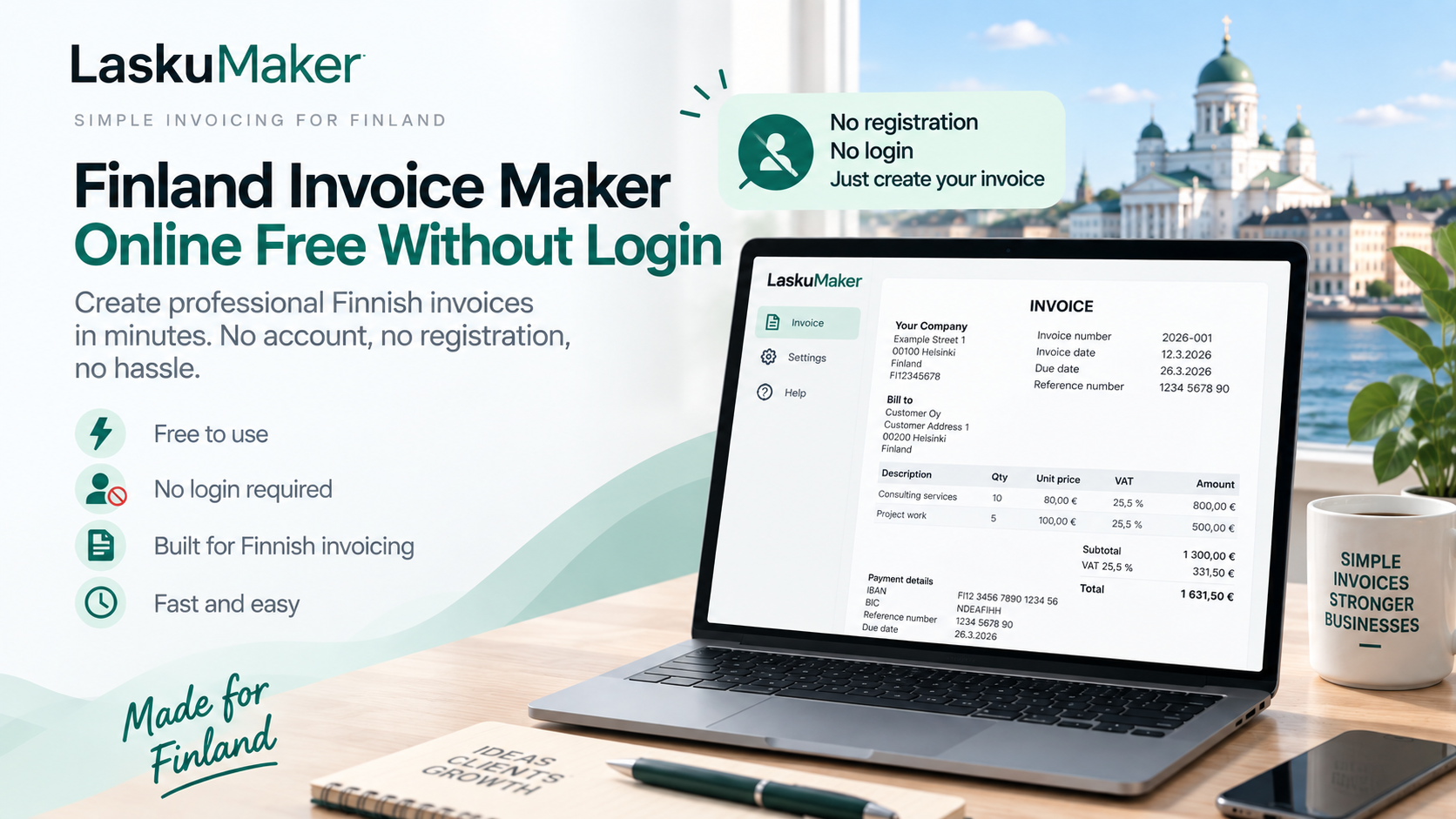
Need a Finland invoice maker online free without login? Create professional Finnish invoices with LaskuMaker.fi. No account, no registration, and free to use.
If you need to send an invoice in Finland, you shouldn’t have to create an account, choose a subscription, or spend time learning complicated accounting software before you can get started.
A Finland invoice maker online free without login gives freelancers, entrepreneurs, and small businesses a faster alternative.
With LaskuMaker.fi, you can create a professional Finnish invoice directly in your browser without registering for an account.
Enter your details, add your customer and invoice information, review everything, and generate your invoice.
Can I Create a Finnish Invoice Online for Free Without Login?
Yes. LaskuMaker.fi lets you create Finnish invoices online for free without creating an account or logging in.
This makes it useful when you want to create an invoice quickly without going through a lengthy registration process.
You don’t need to provide an email address simply to start creating an invoice, and you don’t need to remember another username or password.
Just open the invoice maker and start.
What Is LaskuMaker?
LaskuMaker is an online invoice generator built specifically for Finnish invoicing.
Unlike a generic invoice template, it provides a structured interface where you can enter the information needed to prepare your invoice.
You can add details such as your business information, customer information, invoice number and dates, products or services, VAT information, payment information and Finnish reference details.
Once you’ve entered and reviewed the information, you can generate your finished invoice.
The goal is straightforward:
Create Finnish invoices without making invoicing complicated.
Why Use an Invoice Maker Without Login?
Many online business tools require registration before you can even see whether the service meets your needs.
For something as straightforward as creating an invoice, that can add unnecessary friction.
An invoice maker without login is particularly useful when you only create invoices occasionally, you’re just starting your business, you don’t need a complete accounting system, or you simply want to prepare an invoice immediately.
LaskuMaker removes the account-creation step so you can concentrate on the invoice itself.
Free Finland Invoice Maker for Freelancers
Freelancers often need a simple way to invoice customers without investing in a large accounting platform.
Imagine you’ve completed a website, photography assignment, consulting project, translation, repair job, cleaning service, or another freelance project.
The work is complete.
Now you need to get paid.
Instead of opening Word and designing an invoice or registering for a complicated invoicing platform, you can use LaskuMaker to prepare the invoice online.
Add your details, describe the service, enter the price and appropriate VAT information, add your payment details, and generate the invoice.
For freelancers with straightforward invoicing needs, that can be considerably easier.
Free Invoice Maker for Finnish Small Businesses
Small businesses can benefit from the same simplicity.
Not every business needs advanced invoicing software from day one.
Large platforms may include accounting integrations, expense management, customer databases, inventory systems, recurring billing, analytics and other features.
Those tools have their place.
But sometimes your immediate requirement is much simpler:
Create invoice → send invoice → receive payment.
For that workflow, a free Finnish invoice maker can be enough.
What Should a Finnish Invoice Contain?
Creating a professional-looking invoice is only part of the process. You also need to include the information required for your particular transaction.
For standard VAT invoices, Finnish Tax Administration guidance requires details such as the invoice date, a unique sequential invoice number, the seller’s VAT identification number, seller and purchaser names and addresses, information about the goods or services, applicable transaction dates, VAT bases and rates, and the VAT payable. Additional information can be required in special situations.
This is one reason a structured invoice creator can be more convenient than starting with an empty document.
Create Your Invoice Step by Step
Using LaskuMaker is designed to be straightforward.
Start by entering your business information and the details of the customer you’re invoicing.
Next, provide your invoice number, invoice date, due date and other relevant invoice information.
Add the products or services you’re billing for, together with quantities, prices and the appropriate VAT treatment.
Then enter the payment information your customer needs.
Finally, review the invoice carefully and generate the finished document.
You should always verify the information before sending an invoice, particularly bank details, VAT treatment, customer information, dates and amounts.
Finnish VAT on Your Invoice
If your transaction is subject to VAT, you need to apply the appropriate VAT treatment.
Finland’s general VAT rate is currently 25.5%. A reduced 13.5% VAT rate applies to qualifying goods and services from 1 January 2026, while other rates and VAT treatments can apply in specific situations.
The correct rate depends on what you’re selling and the circumstances of the transaction.
An invoice maker helps you structure the invoice, but you remain responsible for selecting the correct VAT treatment.
Finnish Invoice Numbers
Your invoice also needs to be identifiable.
Finnish VAT invoice rules require a sequential identifier that uniquely identifies the invoice. Businesses can use different numbering series, but invoices within the same accounting period cannot share the same identifier.
For example, you could use:
- 2026-001
- 2026-002
- 2026-003
- 2026-004
Whatever system you choose, consistency makes your invoices easier to organize.
Why Use LaskuMaker Instead of Word?
Microsoft Word can certainly be used to make invoices, but it wasn’t designed specifically for invoicing.
You need to manage the layout yourself, update old information when copying previous invoices, calculate amounts correctly and ensure important fields haven’t been forgotten.
It’s surprisingly easy to duplicate an old invoice and accidentally leave an old customer name, invoice number, date, or payment information somewhere in the document.
LaskuMaker provides a dedicated invoice workflow instead.
You enter the information into the relevant fields and generate the invoice from those details.
Why Use LaskuMaker Instead of Excel?
Excel is another common option.
Its formulas can make calculations easier, but you’re still responsible for maintaining the invoice template and formulas.
A broken formula or accidentally modified cell can cause incorrect totals.
For people who don’t need a spreadsheet-based invoicing system, a dedicated online invoice maker offers a cleaner alternative.
No Software Installation Required
Another advantage of an online invoice maker is that there’s nothing to install.
You don’t have to download desktop software simply to create an invoice.
LaskuMaker works through your browser, making it easy to access when you need to prepare an invoice.
This can be particularly useful for freelancers and entrepreneurs who want a lightweight invoicing workflow.
Privacy Without an Account
Not requiring registration also has another advantage: you don’t need to create a permanent online account simply to make an invoice.
According to LaskuMaker’s own information, invoice generation happens in the browser, the PDF is built on the user’s device, and invoice data does not reach LaskuMaker’s servers.
That gives users a particularly simple approach to invoice creation: no mandatory account and no need to upload invoice information to LaskuMaker just to generate the PDF.
Who Is LaskuMaker For?
LaskuMaker can be useful for many types of people doing business in Finland, including freelancers, sole traders, contractors, consultants, new entrepreneurs, small businesses and international entrepreneurs operating in Finland.
It’s especially suitable when your priority is simplicity.
You may not want customer-management software or a complete accounting platform.
You may simply want a professional invoice.
That’s the problem LaskuMaker is designed to solve.
Is LaskuMaker Completely Free?
LaskuMaker’s core invoice generator is free to use.
That means you can use its basic invoice-creation functionality without paying for a subscription just to generate an invoice.
For new entrepreneurs and freelancers trying to keep business expenses low, this can be particularly useful.
Do I Need to Create an Account?
No.
One of LaskuMaker’s main advantages is that you don’t need to register or log in before creating an invoice.
Open the tool and start creating your invoice.
This directly addresses one of the most common frustrations with supposedly “free” online tools: discovering that registration is mandatory before you can actually use them.
Free Without Login Doesn’t Mean Low Quality
A free tool doesn’t have to mean an unprofessional invoice.
Your customer doesn’t care whether you spent €30 per month on invoicing software.
They care that the invoice is clear, professional and contains the information they need to understand and pay it.
For many freelancers and small businesses, simplicity is an advantage.
You shouldn’t need enterprise-level software to invoice a customer for a straightforward project.
Is LaskuMaker Suitable for International Entrepreneurs in Finland?
Yes.
International entrepreneurs can face an additional challenge when starting a business in Finland: understanding Finnish invoicing terminology and practices.
Generic invoice generators may be designed around another country’s payment and invoicing conventions.
LaskuMaker is built specifically around Finland while providing an accessible way to prepare Finnish invoices.
That makes it a useful option for international freelancers and entrepreneurs working with Finnish customers.
Does LaskuMaker Guarantee My Invoice Is Legally Correct?
An invoice generator can help you structure an invoice, but it cannot determine every tax obligation or special circumstance affecting your transaction.
Situations involving reverse charge, VAT exemptions, international trade, intra-Community transactions and other special VAT rules can require additional invoice information.
You remain responsible for entering accurate information and applying the appropriate tax treatment.
For unusual situations, check current guidance from the Finnish Tax Administration or consult a qualified accountant.
Frequently Asked Questions
Is there a free Finland invoice maker without login?
Yes. LaskuMaker.fi provides a free Finnish invoice generator that can be used without creating an account or logging in.
Can I create an invoice online in Finland without registration?
Yes. With LaskuMaker, you can start creating an invoice directly from your browser without mandatory registration.
Is LaskuMaker free?
The core LaskuMaker invoice generator is free to use.
Do I need to install software?
No. LaskuMaker is an online invoice maker that runs in your browser.
Can freelancers use LaskuMaker?
Yes. It is particularly useful for freelancers, sole traders, contractors, entrepreneurs and small businesses with straightforward invoicing needs.
Can I add VAT to a Finnish invoice?
Yes. You can include VAT information when preparing an invoice. You should always select the VAT treatment that applies to your particular goods, services and transaction.
What is the standard VAT rate in Finland in 2026?
Finland’s general VAT rate is 25.5%. Reduced or other VAT rates and treatments apply to certain goods, services and transactions.
Is an invoice number required in Finland?
For VAT invoices, a sequential identifier that uniquely identifies the invoice is among the required invoice details.
Create a Finnish Invoice Online for Free — No Login Required
If you’re searching for a Finland invoice maker online free without login, you probably don’t want another complicated piece of business software.
You want to create an invoice.
That’s exactly where LaskuMaker.fi fits.
It’s designed around Finnish invoicing, its core invoice generator is free, and you don’t need to create an account before getting started.
Whether you’re a freelancer sending your first invoice or a small business looking for a straightforward invoicing tool, LaskuMaker provides a simple way to prepare professional Finnish invoices online.
No registration. No login. No complicated setup.
Create your Finnish invoice for free with LaskuMaker.fi.